
Gall – the file manager for keyboard lovers
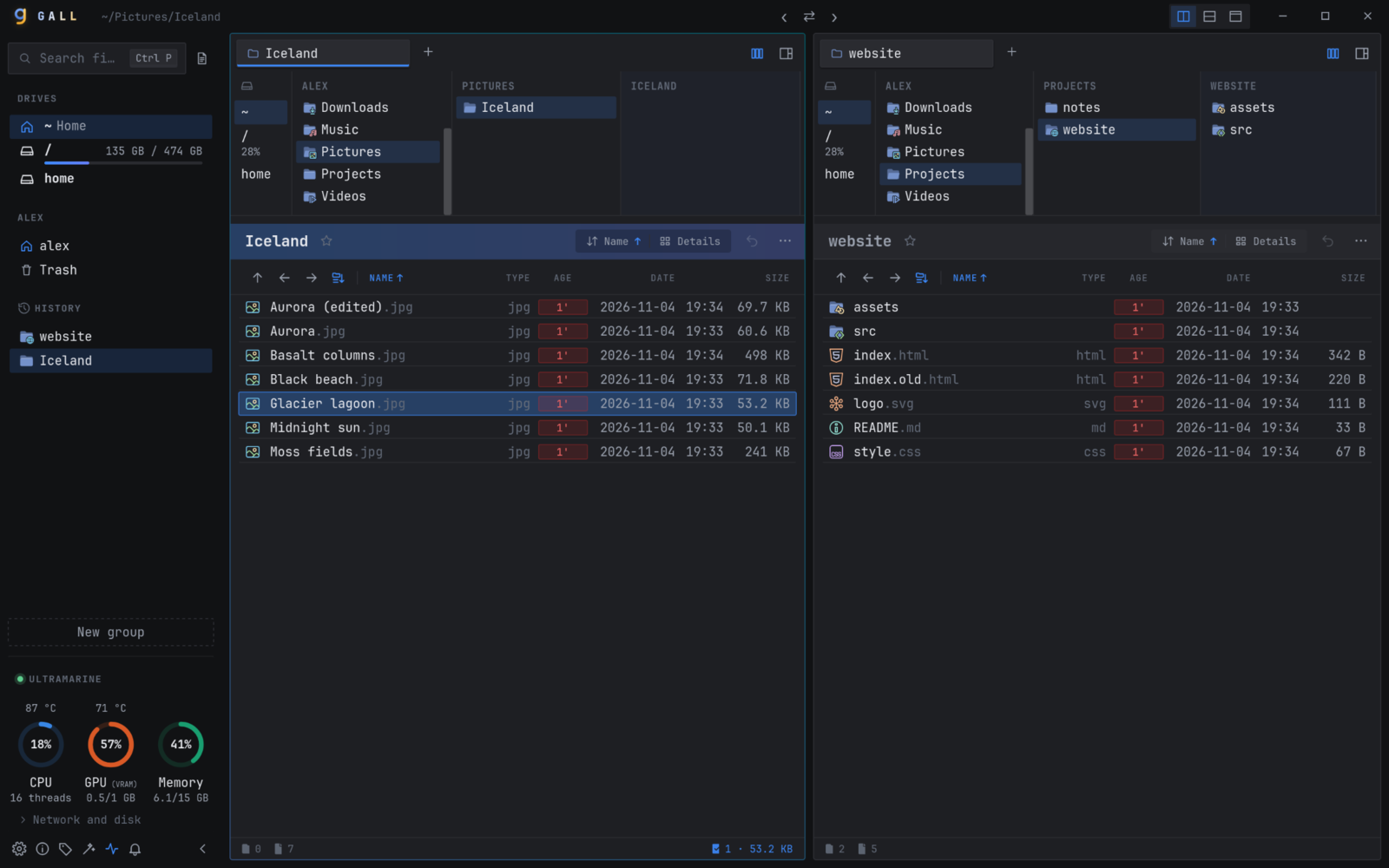
Gall is a free, open-source file manager for Linux, Windows and macOS. Find any file in milliseconds, search inside every file, compare code, Excel sheets and photos, see Git status, use Vim keys and undo anything.
Download Gall Source on GitHub
Why a new file manager?
Instant search
Fuzzy search over every file name on the computer as you type, plus ripgrep-powered search inside files.
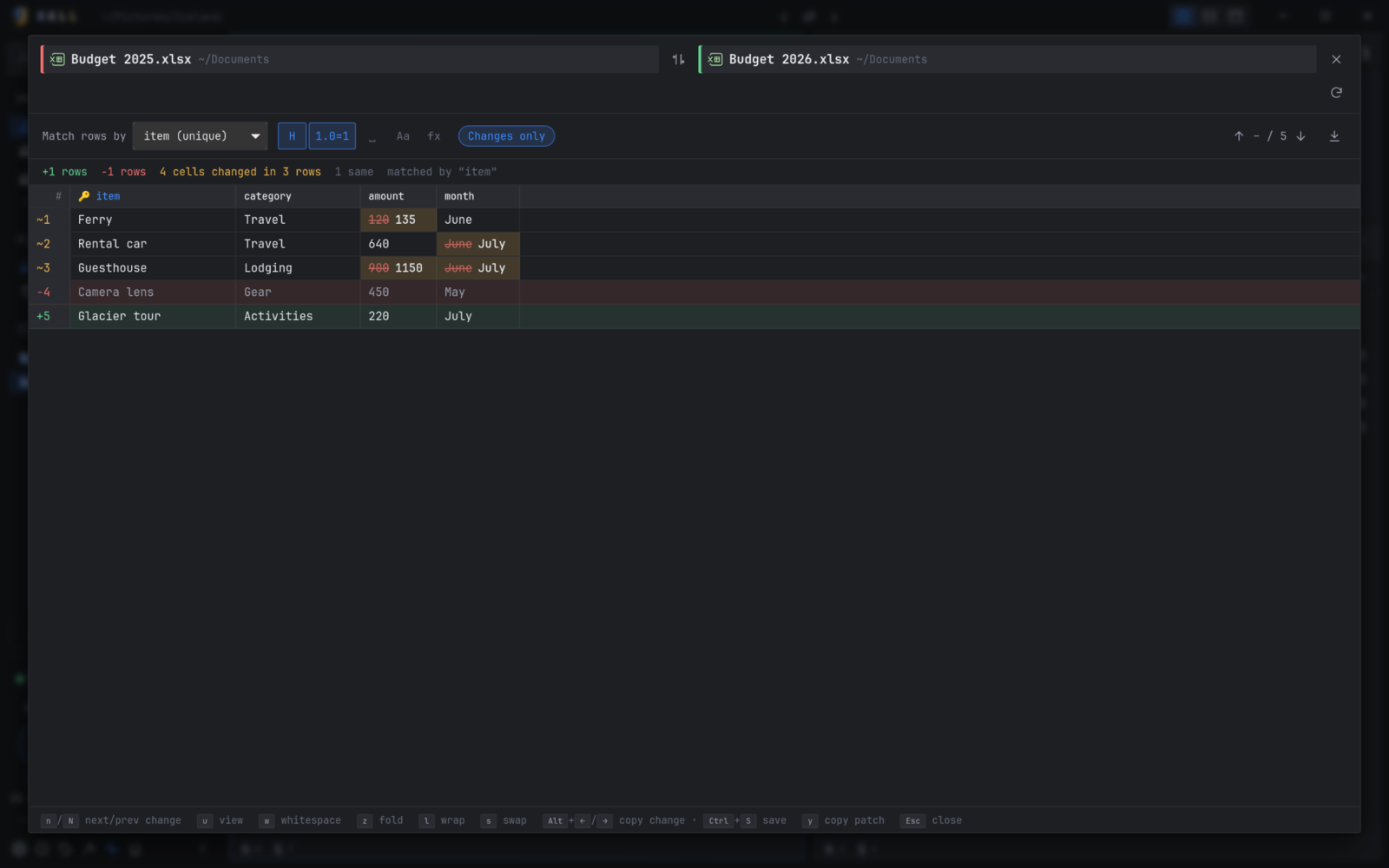
Compare anything
Text and code, Excel/ODS/CSV cell by cell, images (swipe, onion skin, pixel diff) and whole folders.
Miller columns + dual pane
Finder-style columns and an orthodox two-pane layout in one app, with tabs.
Vim keys
Explorer, Total Commander and Vim profiles, a which-key menu on Space, a searchable sheet of every shortcut on ?, chord shortcuts rebindable.
Made for your desktop
Nerd Font icons, dark and light themes, Gruvbox and Night Owl, your own CSS themes. On Windows, browse WSL distributions like drives.
Git workspace
Status letters next to files, a history graph, line-by-line staging and commits, branches, stashes, interactive rebase and a three-way conflict editor, with lazygit-style keys.
Undo for file operations
Copy, move, rename, batch rename, folder merges and delete to trash are undone with Ctrl+Z.
Previews and archives
Syntax-coloured code, rendered Markdown, PDF, images, video and audio next to the list. Zip, 7z and tar archives open like folders.
Everyday tools
Batch rename with templates and regex, folder sizes, colour tags, notes, file templates, Vim folder marks and a system monitor in the sidebar.
Install
- Fedora:
sudo dnf copr enable gama87/gall && sudo dnf install gall - Linux, any distribution: AppImage,
.debor.rpmfrom GitHub Releases - Windows: installer, MSI or a portable zip that runs from a USB stick
- macOS:
.dmgfor Apple silicon and Intel
Built with Rust, Tauri and React: a small native app without a bundled Chromium. MIT licensed. Gall is an independent, clean-room project.
Questions
Inside Gall, press ? for every shortcut, and see Settings › About for tips & tricks.
Found a bug or missing a feature? Use Report a bug in Gall's About window, or open an issue. Read the full documentation, the Git workspace guide or the changelog.